Download and install on Windows
Not supported on Win7 or rPi!
There is no support for EX-Installer on Windows 7, nor 32-bit operating systems such as Windows x32 or RaspberryPi OS.
- Download from here Windows x64
- Open the downloads folder where your browser has saved the EX-Installer-Win64.exe and execute it.
file extensions
Depending on the configuration of your computer the '.exe' may or may not appear. This is not of concern.
If your browser shows a warning like
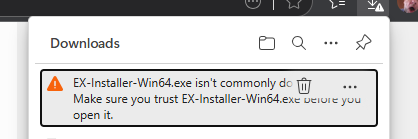
you will need to select the "..." and select "Keep". On the next dialog
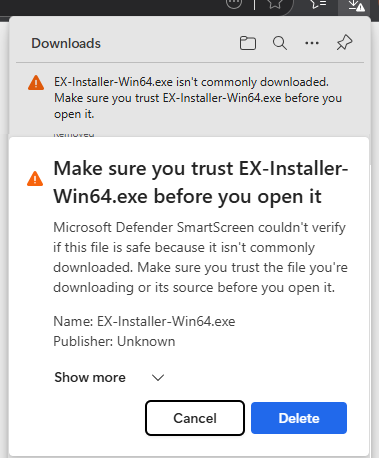
Select "Show more" and "Keep Anyway".
You should see
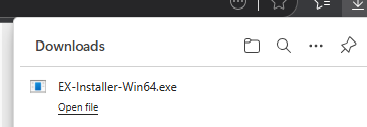
and you can now select "Open file" to run the installer.