EX-CSB1 - Quick Start
EX-CommandStation/Booster 1 Express


This is the EX-CSB1 Quick Getting Started Guide. See the EX-CSB1 Extended guide page for a detailed guide on setting up and using the EX-CSB1.
Connecting
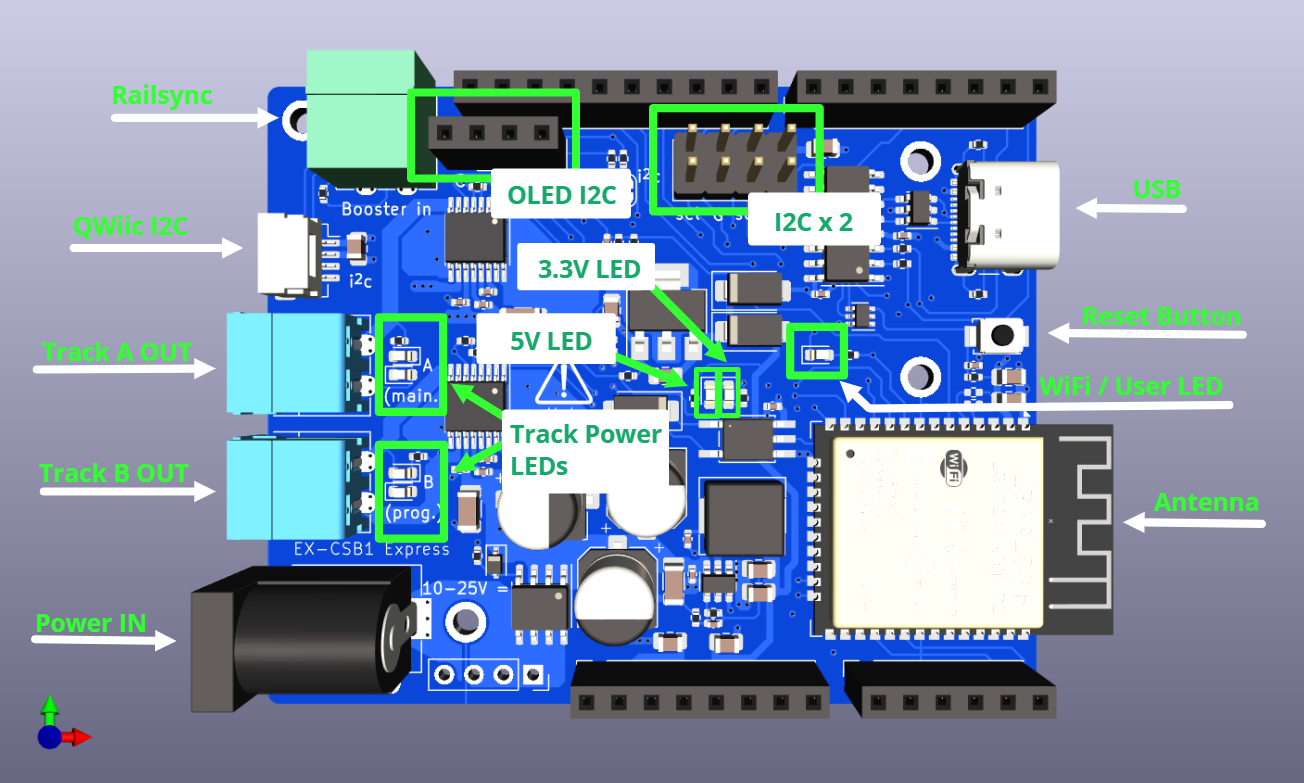
The DCC-EX EX-CommandStation/Booster 1 Express (EX-CSB1) needs the minimum following connections to be able to run trains:
- Power input on the 2.1mm black barrel connector – accepts 10-25V DC fully regulated, preferably a modern switch-mode power brick, double-insulated with good power overload protection. Minimum current capability of 4A, suggested 12-16V for Z, N or HO/OO scales, with DCC+Sound locos generally wanting 14-16V even in N scale.
-
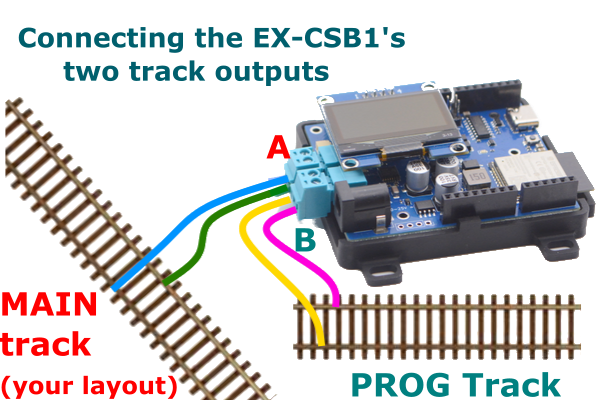
One track connection – on either the Track Out A (topmost) or Track Out B (beside the power) connector. Note that by default, A is configured for DCC MAIN operation, and B is configured for PROG or programming track. We recommend connecting your track to the A MAIN output initially to test running of trains.
When correctly supplied with track power, both green Power LEDs will light. If the right-most LED alone is lit, it indicates power is being supplied from the USB-C connector so software upload can proceed, but trains cannot be run.
The Wi-Fi LED will light once a Wi-Fi network is created (Access Point mode), or once connected to an existing Wi-Fi network (Station mode.)
Other Connectors:
- Qwiic I2C connector – allows a broad range of 3.3V I2C peripherals to be easily with simple cables.
- Railsync connector – allows connection to Railsync or a DCC track signal for Booster and Sniffer modes when enabled with suitable software configuration.
Booster mode
When configured correctly, connecting a Railsync or DCC signal to the Railsync connector will enable your EX-CSB1 to operate as a booster.
Refer to the EX-CSB1 in DCC Booster Mode page for information on how to configure the software to enable this.